Saturday, July 28, 2018

My Study Space + Vanity


Is it almost August? The summer flew by so quickly, that I just barely got myself grounded and prepared for the coming school year. The small summer reprieve did allot myself a small window of opportunity to set up my study space in a way I envisioned and just in time for fall semester!

I was definitely inspired to share my vanity with my study area by a specific line from the Legally Blonde musical, a song called “Chip On My Shoulder”, in which Emmet recites to Elle,

  “Ya know, this vanity’s real picturesque but it started it’s life as a desk
Clear it off, and find some room for books instead ”. 


My whole return to schooling has been to the tune of the Legally Blonde musical soundtrack, and that line stuck with me and definitely persuaded me to modify my vanity to be my desk.

So, let me give a rundown of what creates my study space!


My main tech is my iPad Pro and Apple Pencil. I not only use it to take down my notes, but I create my PowerPoint presentations, write my papers, access my courses and submit all my assignments though it. I decided I enjoy a tablet more than a laptop and have successfully been able to complete my first 2 semesters using it.

I do have my own portable keyboard, but I decided I wanted to have a beautiful at home keyboard that gives me joy to use at home and for my long papers and assignments. With endless searching all this year I finally came across the Penna keyboard by Elretron. I immediately donated to their fundraising campaign and got my keyboard mid spring semester and it was just as wonderful as promised! Its a beautiful soft pink, I opted for mx cherry blue switches, which make for an amazingly satisfying click with each keystroke, and diamond keycaps that look similar to my ideal keyboard from the movie Populaire. I may have been heavily inspired by the movie Populaire this past year too, if my keyboard and iPad background doesn’t give that away. Excitingly, the Penna keyboard smashed their fundraising campaign and is now available on Amazon HERE!

To store my keyboard, and to raise my iPad to a comfortable level, I commissioned a riser from  ThePaperSkiff on etsy. I realized this year that I find it more comfortable to view my screen if it’s at eye level to me, so a riser was a necessity to maintain my concentration and tolerance working for hours seated in front of a screen.

Additionally, I use an Element Digital stand to support my iPad upright, which has a convenient gripped base, and adjustable neck to tilt my tablet to a comfortable viewing position.

I also decided to invest in a desk mat, from Empressionistar, to keep my area clean and protect the desk from my makeup. An additional note, the Penna anti-grip pegs like to stain my white tables a yellow color, the mat helps to protect against that and acts as it’s own stabilizing surface to keep items from sliding or rolling off my vanity.


Behind where I sit, I contain my other supplies within easy reach. Usually, I may move aside other things on my vanity when I need multiple things laid out in front of me, but when not in use, its nice to have things put aside and not creating extra clutter.


The switch from study area back to vanity is quite simple. With removal of my tablet, I conveniently can place a small mirror on the stand which helps with small detail makeup like lash application or eyeliner. The riser I have also serves as pretty storage for my keyboard (it fits fully under but I forgot to move my extension cord behind it, oops), but also works as a nice display surface for my makeup brushes. 

Since I’m taking photos of my desk set up, I can also take this time to give a light tour of what is inside my vanity!   


On top of my vanity, store my most used items, my main skincare items [comprehensive blog post on them here], and also my most beautiful makeup pieces which I like to display for aesthetics.


My top drawer, I keep items I like to have quick accessibility too, which would be hair clips + ties and other hair accessories, my favorite false lashes, lash glues, lash curlers, tweezers and pencil sharpeners.


Taking a peek into right terminal of drawers, I store accessories, more skin care, eye care, ribbons, and all my hair tools. 


In the left terminal of drawers, I store all my makeup, perfumes, hair oils, deodorants, sheet masks, and a whole drawer of lashes. 

I find that with drawer dividers, organization of my vanity is much easier, I bought mine [here]. It was definitely a game changer in regards to my tidiness!  


I hope that the look into how I created my study area was insightful, maybe something that was a bit more unique in choice of set up. Maybe down the line things may change and evolve, but for now I find my desk to be ideal in what I need and for my lifestyle.

<3CarisseIris  


Saturday, July 21, 2018

Hello Summer, Hello New Car!


Perfectly timed for summer, my old/ first car decided to give out on me so I finally got the chance to car hunt and find my perfect new ride. Once finding my new baby, I figured it was finally time to have a bit of fun and decorate it. My car has always been the transportation of choice when it comes to road trips and heading out with friends so I happily justified the pink takeover of my vehicle.


Starting from the front, the first item I bought to keep my hands from burning on the steering wheel was a pink steering wheel cover, which has a pliable leather feel and adds texture for my grip. I also have a faux sheepskin seat cover so that I don’t burn my legs on my seat and so that my bare legs don’t stick to the chair, since I only seem to wear miniskirts. 

The main, and most striking decor in my car is my pink car seat covers from SeeMeHappy on Amazon. They were quite kind and double checked for me that they would fit my car, and answered any questions I had regarding them. The installation was a bit tricky, but with some maneuvering and selective tucking, they fit my car perfectly and look so sweet in my ride. The car seats also come with ribbon pillows and neck rests (my friends seem to adore the neck rests and say it makes car seats much more comfortable). The front seat covers also have convenient pockets in front which I tend to store my phone and keys. 


In my backseat I decided to add in some throw pillows, since two of my friends tend to fall asleep in the backseat whenever we go on trips, but when I have more than one passenger in the back, I can easily store them in the trunk or bring them into the house.


In the back, I also have tsurikawa, or train handles. When I used to be more involved and obsessed with gyaru, I saw one photo with some girls with similar ones dangling from their vehicles years ago and knew I wanted a set in my car one day. I bought mine of eBay. Googling the origin, it seems that having these on one’s vehicle represents rebellion, since people would steal them off trains and show them off on their bikes or cars. 


In the back of my car, I also store a few extra amenities and extra gadgets. 


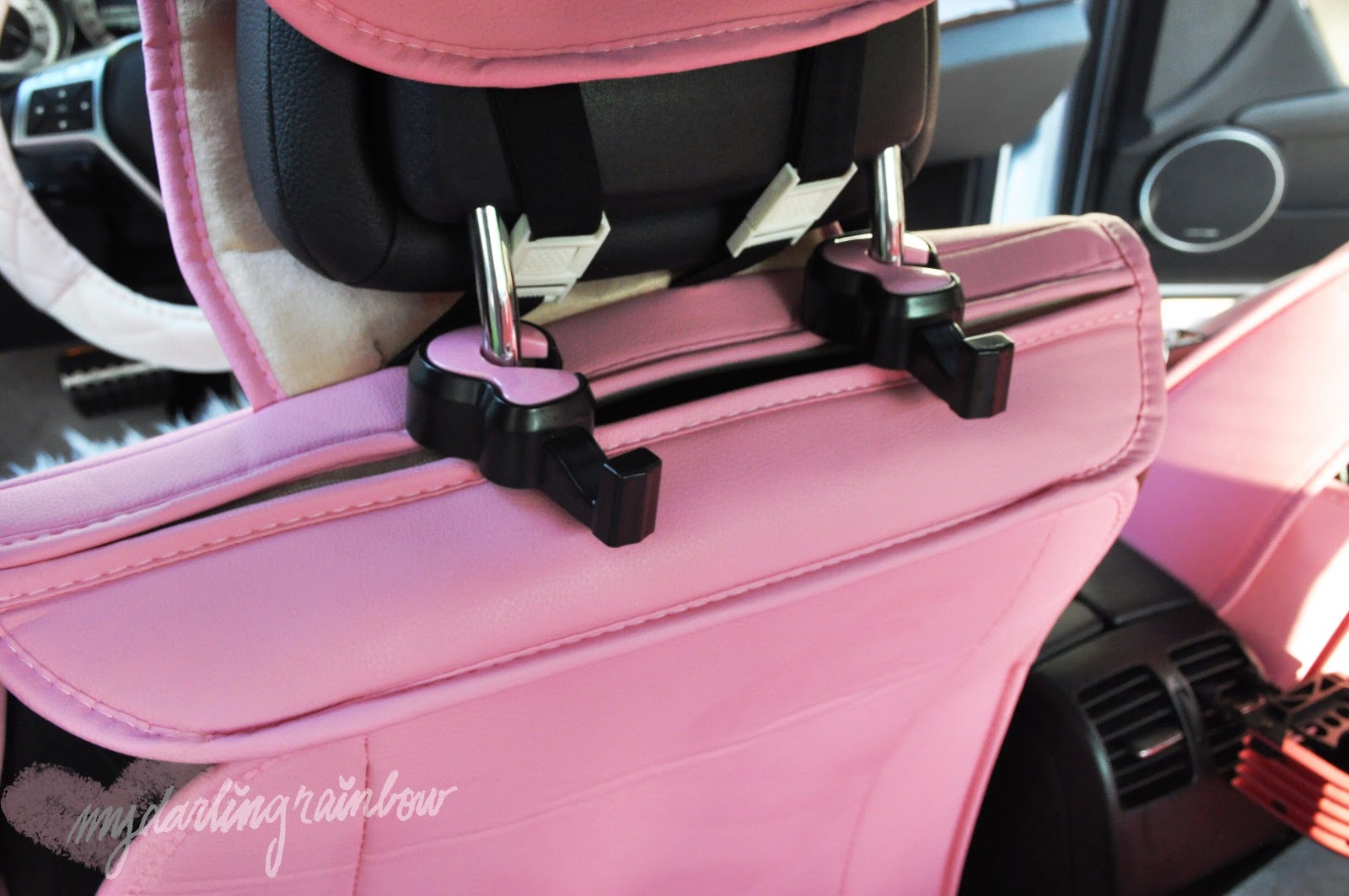
Behind the drivers seat, I have two bag holders, one for me and a passenger if they would like to use it. It makes keeping my bag in place and within reach quite convenient. 

My car does have cup holders for the back seat, but the process to open it is a bit annoying and it takes up space, so I decided to install a simple cup holder that attaches to the back air port for easier accessibility. 

Some of the additional items I have stored in the back is an emergency light and knife, which my mum gifted me and a low profile anti-theft device that has an additional feature that can break open a car window in an emergency. 


I also decided to switch out my car’s original floor mats for a fun matching set, I bought these cute marble and pink floor mats from Zazzle, and they come with front and back mats that seem to be universally sized.


I thought a peek into my trunk would be fun to include, so far I seem to take along spare umbrellas, gym gear and my gym bag, a spare shopping tote, and a ton of board games along with me. I’m pretty much prepared for any occasion and at any time.


I don’t have much in terms of outside decor on my car, but I did decide to put a subtle decal on my window. I bought a ‘second star to the right’ decal, inspired by Peter Pan from EverlyAfterStudio on Etsy. The decal is actually iridescent and appears pink, blue or yellow depending on the light and looks quite impressive on my car. 


The final accessory is a bit hidden, and it serves as a nod to the name that I chose for my car. My car is an ‘eco’ car, and conserves gas by turning off the engine whenever I sit on the break for longer than a few seconds. When I release the break the car seems to reluctantly wake up and turn on the engine before moving forward. Its actions made me keep referring to it as a cat being forced  to wake up and yet insisting to nap in odd and sometimes precarious spots. So, I lovingly chose the name Muta, from the Ghibli film, ‘The Cat Returns’. I found a perfect enamel pin from VectorPenguin on etsy that perfectly represented how I see my car and makes me happy to see it whenever I open my sun visor. 


I believe that was a fitting introduction to my new portable pink wonderland. (Also, as a way to share where I purchased the items I have.) 

I promise I’ll try to keep a regular update schedule, at least to the best of my abilities, haha!

<3CarisseIris
Tuesday, January 30, 2018

What’s on my Tech~ iPad Pro & Note 8 [+ backgrounds]


Over the past few months I’ve done a full tech overhaul! I’ve been using the iPad Pro 9.7” for almost a year now and recently upgraded my phone to the Samsung Note 8. So I can happily share all my favorite applications and themes on my devices~


Before I share what’s on my iPad I want to share what’s actually on my iPad~ I’ve been using the Pink Marble Swirl vinyl skin from Clique Shops for a few years and have had the exact same style on every iteration of apple tablet I’ve had. 


Application is pretty easy and self explaitory, but getting proper placement is the most daunting part of the task and the most time consuming part. Also, once it’s down it’s tough to remove/fix without ripping or stretching the vinyl. 


The skins from Clique feel amazing, stay clean and don’t fade at all. I easily keep them on a tablet for a year or more, I don’t even usually need to replace them~ I just wanted to share what I have been using because it’s something that’s ended up becoming my staple look. 
(So not sponsored but I just love this product so much.)


Now on to what is actually in my iPad! My iPad is themed Legally Blonde for the start of the Spring school session and looks cute and romantic for Valentines to boot! 


I am keeping my apps clear of distractions since I’m using it purely for school and work. Because of that  I don’t have social media or games on my iPad.

On my home row I keep the apps; MyFitnessPal, Camera360, Gallery, Chrome, LINE messenger, and Gmail. 

I have 4 main folders: home, study, editing, and things.

Home holds apps; Google home, Google, Phillips Hue and Settings.

In the “things”catagory is; my banking app, Google Maps, Google Translate, and Sketches Pro.

In my study folder I have;
PDF Expert- I use to read, and write on PDF files.
iBooks- I have a few recreational books on and one textbook for school.
Word
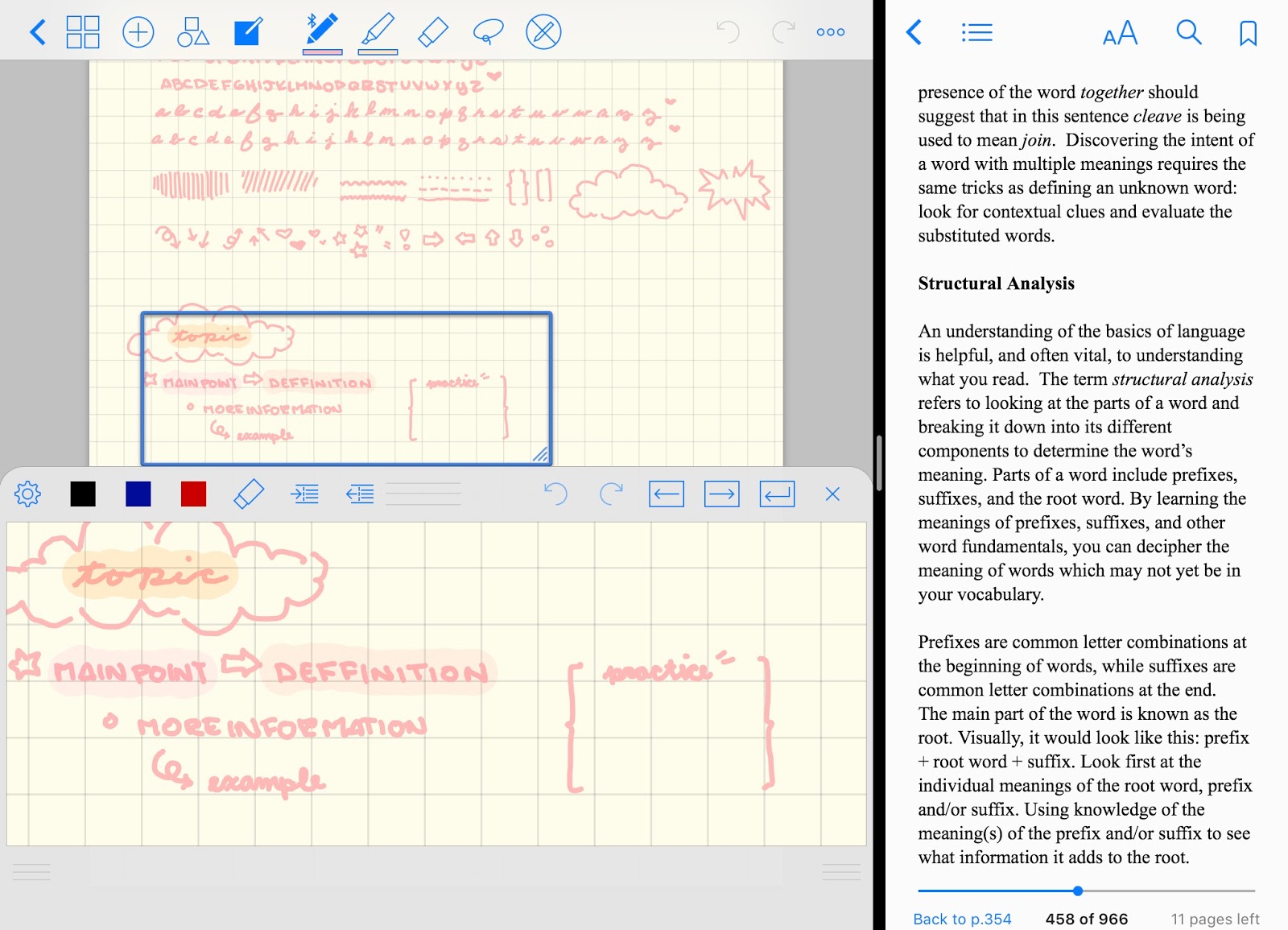
GoodNotes- My go to note taking app! I definitely love that I’m able to have my notes and textbook on the screen at the same time!! It’s seriously such a game changer for me!
Power Point
My school’s app so I can stay connected and see any campus news or activities.
Play Books- Another book app that has some of my textbooks for class
Quizlet- A digital flash card app that some professors also use sometimes
Canvas Student- Where my teachers post assignments onto and my classes have group chat on.
Google Drive- Online file storage and sharing.
Onenote- a highly recommended app by people online that I actually ended up deleting since I love GoodNotes more.

^ good notes and my textbook on screen share

My last folder of importance is editing;
Photoshop Fix- The main app that I edit my HD/ DSLR photos on.
Photoshop Mix- Where I can layer photos and collage items. I use it to put my watermark on my pictures.
Adobe Sketch- An app I can easily make transparent images to layer onto my photos.
LINE camera- The app I usually edit selfies on and apply cute stickers onto my pictures.
Google Photos- I use to store my photos online and to keep my iPad free of clutter. 

^Photoshop Fix, Photoshop Mix, and Adobe Sketch screen grabs. 

My iPad isn’t super exciting in terms of applications I use but everything I have is extremely useful to  being productive and I’ve found a way to completely replace my laptop, which I really didn’t think was possible before this.  


On my phone, I’ve decided to match my iPad’s Legally Blonde theming to keep me motivated.

I wanted to keep my screens looking clean so I removed the App labels.

On my home row I keep the contact function, standard text messenger application, the home key, LINE messenger, and gmail. I keep these as the base because they’re my most used tools. I also have Camera360 as my main camera application (I use the ‘sweet’ filter on every photo I take fyi) that I access with a double tap on my screen which is super convenient for brining up instantly. 

On my left screen I have the apps; 
Google Maps
Chrome Browser
Play Music- My go to music service that I store all my old music too (I upgraded my revive on it too)
My bank’s mobile app

My main screen is the middle screen which houses;
MyFitnessPal- Where I like to record what I eat daily and keep track of my intake.
Fitbit app- connects to my Fitbit and is easily accessible to input my water intake and check my activity levels.
Twitter
Instagram

My right screen I keep the apps;
SNOW- My favorite app for selfie filters and I like to use to shoot photos I know I’l want to post on Instagram stories.
LINE camera- My staple on the go face editor/shopping program.
Instax Share- Connects to my Polaroid printer for when I don’t want to take my Polaroid camera around with me.
Gallery 


If I tap on my home key, I’m brought to the rest of my apps. I like to keep things here organized as much as I can, and hide the systems apps. 

Misc apps I like having around are;
YouTube
LINE play- The only mobile game that I have and have played consistently for 5 years, haha;; 
Tumblr
DropMix- which is one of the best electronic/board game hybrids I bought last year! 
My college’s app
Canvas Student- For checking my assignments, and access to my classes group chat function.

For customizations to my Note 8 I use the apps;
Dodol Launcher- That I use for my phone’s standard auncher and completely customizes my phone’s look/layout.
Dodol Locker- Which I use for a custom pink lock screen.
Dodol Pop- Has lots of cute system and text tones that I use to make my phone sound like a fairy.
Ringtone Maker- I used to turn my music into a ringtone for my phone.
PrivacyStar- Blocks scammer calls and telemarketers. 


In terms of customization I have two themes as my center. 
I customized my phone’s main theme on the Samsung theme shop which customizes call screens, the text messenger, contact list, and Samsung’s standard keyboard. I’ve found it helpful to customize the main base rather than add more applications since there’s no glitching from the standard system.

Right now I’m using Cartoon Hearts by Gabriel Santana

For my main launcher, I use Dodol Launcher which only takes over the main home screens and app icons. The launcher makes customization super easy and I’ve been using it for years, so it’s become my comfort zone for customizations.

The Dodol theme I’m using is cute.rabbits


Since I use LINE messenger for my main source of communication, I have a theme from Yayoi who is my favorite artist right now, her aesthetic is so on point and she’s the creator of all the phone backgrounds I put together! You can see more of her work on her website [here] 

^Yayoi’s bakery LINE theme + themed Samsung keyboard 

So, talking about Yayoi’s art she’s put up her own phone backgrounds for use on her Twitter account, and I wanted to share a few of my favorites! 


Yayoi also makes movie fashion boards for Laurier Press and I wanted to turn some of my favorite school movies into some inspirational phone backgrounds to share~ 


I’m partial to Clueless, House Bunny and Legally Blonde so those were the three I honed in on. 

^ Yayoi’s twitter def recommend following for aesthetic inspo

I hoped taking a look into what’s on my tech was helpful for anyone maybe mind opening into new ways on using a device too?!

<3Carisseiris